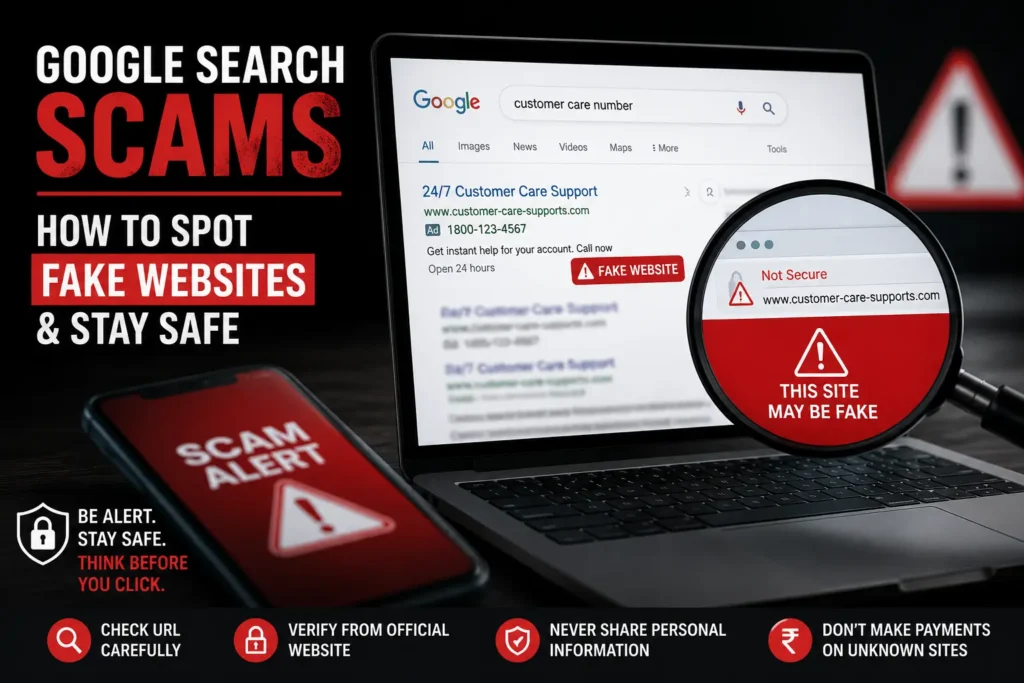
Google Search is one of the most popular tools for finding information, visiting official websites, shopping online, downloading apps, and accessing customer support. However, users should remember that not every website they find online is automatically trustworthy.
Scammers may create fake websites that copy the names, logos, designs, or services of real companies. These websites may try to steal personal information, login details, banking information, or money.
Google uses security systems to identify harmful content, but suspicious or deceptive websites may still appear online. This is why users should verify a website before sharing sensitive information, making a payment, downloading a file, or contacting customer support.
What Are Google Search Scams?
The term Google Search scam does not mean that Google is running a scam. It usually refers to scams where users find fake, phishing, or misleading websites through search results, advertisements, or links.
For example, a person may search for:
“Company customer care number”
An unofficial website may display a fake support number while using the company’s logo. If the user calls the number, the scammer may ask for an OTP, password, banking details, or access to the user’s phone.
Scammers may also create fake shopping websites, software-download pages, banking-login pages, or government-service pages.
How Do Fake Websites Trick Users For Google Search Scams?
1. They Copy Real Brands
Fake websites may copy:
- Company logos
- Brand colors
- Website layouts
- Product images
- Login pages
- Customer-support information
Because the design looks familiar, users may assume the website is genuine without checking the web address.
However, scammers often use real company names and logos to make fake businesses or websites appear legitimate.
2. They Use Similar Website Names
A fake website may use a domain name for Google Search Scams that looks similar to an official website.
For example:
Official-looking domain:company.com
Suspicious-looking domain:company-support-login.com
The fake address may include:
- Extra words
- Spelling mistakes
- Unnecessary hyphens
- Random letters or numbers
- Unusual domain extensions
Always check the complete domain name carefully.
3. They Use Fake Customer-Support Details
Some scam websites publish unofficial customer-care numbers. Scammers may pretend to be employees and ask users to:
- Share an OTP
- Reveal a password
- Provide card details
- Share banking information
- Install a screen-sharing app
- Make an unnecessary payment
Never share your OTP, password, PIN, CVV, or banking-login details with an unknown person.
4. They Create Urgency or Fear
Scam websites may show alarming messages such as:
“Your account will be blocked today!”
“Your device is infected!”
“Pay immediately to avoid a penalty!”
These messages are designed to create panic and make users act without checking whether the website is genuine.
If a message creates pressure or demands immediate action, stop and verify the information through an official source.
5. They Offer Unrealistic Discounts
A fake shopping website may advertise expensive products at extremely low prices.
Scammers may use limited-time offers or unusually large discounts to make users pay quickly. Consumer-safety guidance recommends checking the seller and using a website address you already know is official instead of trusting an unfamiliar link.
How to Identify a Fake Website
Check the Website URL
Before entering personal information, look carefully at the website address.
Check for:
- Misspelled brand names
- Extra words
- Unusual characters
- Random numbers
- A domain that does not match the company
Do not trust a website only because its name looks familiar.
Check the Website Content
Suspicious websites may contain:
- Many spelling or grammar mistakes
- Poor-quality images
- Broken pages
- Incorrect company information
- Missing policies
- Unrealistic offers
One mistake does not always mean that a website is fake. However, several warning signs together should make you cautious.
Check the Contact Information
A legitimate company generally provides clear information such as:
- An official support page
- A company email address
- A business address
- Terms and conditions
- A privacy policy
Be careful if a website only provides an unknown WhatsApp number or asks users to contact a personal account.
Do Not Trust the Lock Icon Alone
A lock icon or HTTPS connection does not prove that a website is genuine.
HTTPS helps protect the connection between your browser and the website, but it does not confirm that the person or company operating the website is trustworthy.
You should still verify the domain name and other details.
How to Stay Safe from Google Search Scams
1. Use Official Websites
If you know a company’s official website, type the address directly into your browser or use the company’s official app.
Avoid relying only on unfamiliar links. In this way you will be safe from Google Search Scams.
2. Check the Domain Before Clicking
Look at the website address before entering:
- Passwords
- Banking information
- Card details
- Personal documents
- Payment information
A familiar logo is not enough. The domain should also match the real company.
3. Be Careful with Sponsored Results
A sponsored result or online advertisement should not be treated as automatic proof that a website is genuine.
Before making a payment or entering personal information, verify that the website belongs to the official company.
4. Never Share OTPs or Passwords
Do not share:
- OTPs
- Passwords
- Banking PINs
- CVV numbers
- Login codes
If someone unexpectedly asks for sensitive information, contact the company using verified contact details that you find independently. In this way you will be saved from Google Search Scams.
5. Avoid Unknown Downloads
Download apps, software, and updates only from:
- Official websites
- Trusted app stores
- Verified company sources
Do not install files from websites that show suspicious pop-ups or claim that your device is infected.
6. Verify Before Paying
Before making a payment on a new website:
- Check the domain name
- Search for independent reviews
- Read the refund and return policy
- Verify the company’s contact information
- Be cautious of unusually low prices
If an offer looks too good to be true, take time to verify it.
7. Keep Your Device Updated
Keep your:
- Browser
- Operating system
- Security software
- Mobile apps
updated to receive the latest security improvements. In this case Google Search Scams won’t happen.
What Should You Do If You Open a Suspicious Website?
Simply opening a suspicious website does not always mean that your information has been stolen. However, you should avoid entering any information or downloading files.
If you only opened the website:
- Close the page.
- Do not click suspicious buttons or pop-ups.
- Do not download any files.
- Check that your browser and device are updated.
If you entered a password:
- Change the password immediately.
- Use a strong and unique password.
- Change the password on other accounts if you reused it.
- Enable two-factor authentication where available.
- Review your account for unusual activity.
If you entered banking or payment details:
- Contact your bank or payment provider immediately.
- Explain that you may have shared information on a suspicious website.
- Monitor your account for unauthorized transactions.
- Follow the security instructions provided by your bank.
How to Report a Suspicious Website
If you find a suspected phishing website, you can report it to Google for Google Search Scams. Google provides options for reporting phishing websites and suspicious results.
In India, cybercrime complaints can be reported through the Government of India’s National Cyber Crime Reporting Portal. Victims of financial cyber fraud can also contact the 1930 helpline.
Real-Life Example: How a Google Search Led to a Cyber Scam
Online scams linked to search results are not just a theoretical risk. In some cases, people searching online for customer-support information have contacted fake helpline numbers and lost money.
For example, Kolkata Police shared a case in which a person searched Google for a customer-care number and contacted a number linked to a scam. The incident reportedly resulted in a financial loss of around ₹53,000.
In another reported case, residents in Visakhapatnam allegedly lost more than ₹32 lakh in scams involving fake customer-care numbers found online. Scammers reportedly targeted people searching for services such as hotel bookings, app support, and other customer-care assistance.
These cases show why users should not trust a phone number or website only because it appears in a Google search result. Before calling a customer-care number or sharing personal information, users should verify the details through the company’s official website or app.
Important: Google Search itself did not create these scams. Scammers may use fake websites, misleading pages, or deceptive information to target users. Google also works to identify and remove harmful content, but users should still verify websites and contact details before taking action.
Can fake websites appear in Google Search?
Yes. Search engines work to identify harmful or deceptive content, but users should still verify websites before sharing sensitive information or making payments.
Is every Google search result safe?
No. A search result should not be treated as a guarantee that a website is genuine. Always check the website address and other warning signs.
What should I do if I lost money in an online scam?
Contact your bank or payment provider immediately. In India, financial cyber fraud can also be reported through the National Cyber Crime Reporting Portal or by calling 1930.
Final Thoughts
Google Search is a useful tool, but users should verify websites before trusting them.
Fake websites may copy real brands, use similar domain names, display fake customer-support details, or promote unrealistic offers. A few seconds spent checking the website address can help protect your personal information and money.
Remember:
Verify the website. Check the domain. Think before you click.
Stay alert, share this guide with friends and family, and help others stay safe online.
If you find a suspected phishing website, you can report it through Google’s official reporting tools.
For more latest technology news and online safety updates, explore Khabar Khojo.





This was very informative!